Switchtube TDMS Input
For the TDMS format, there are two file types available from the drop down, as shown in Figure 8. To select one or more .tdms files directly use the “.tdms file(s)” option. To select an archive containing TDMS files select the “TMDS .zip file” option.
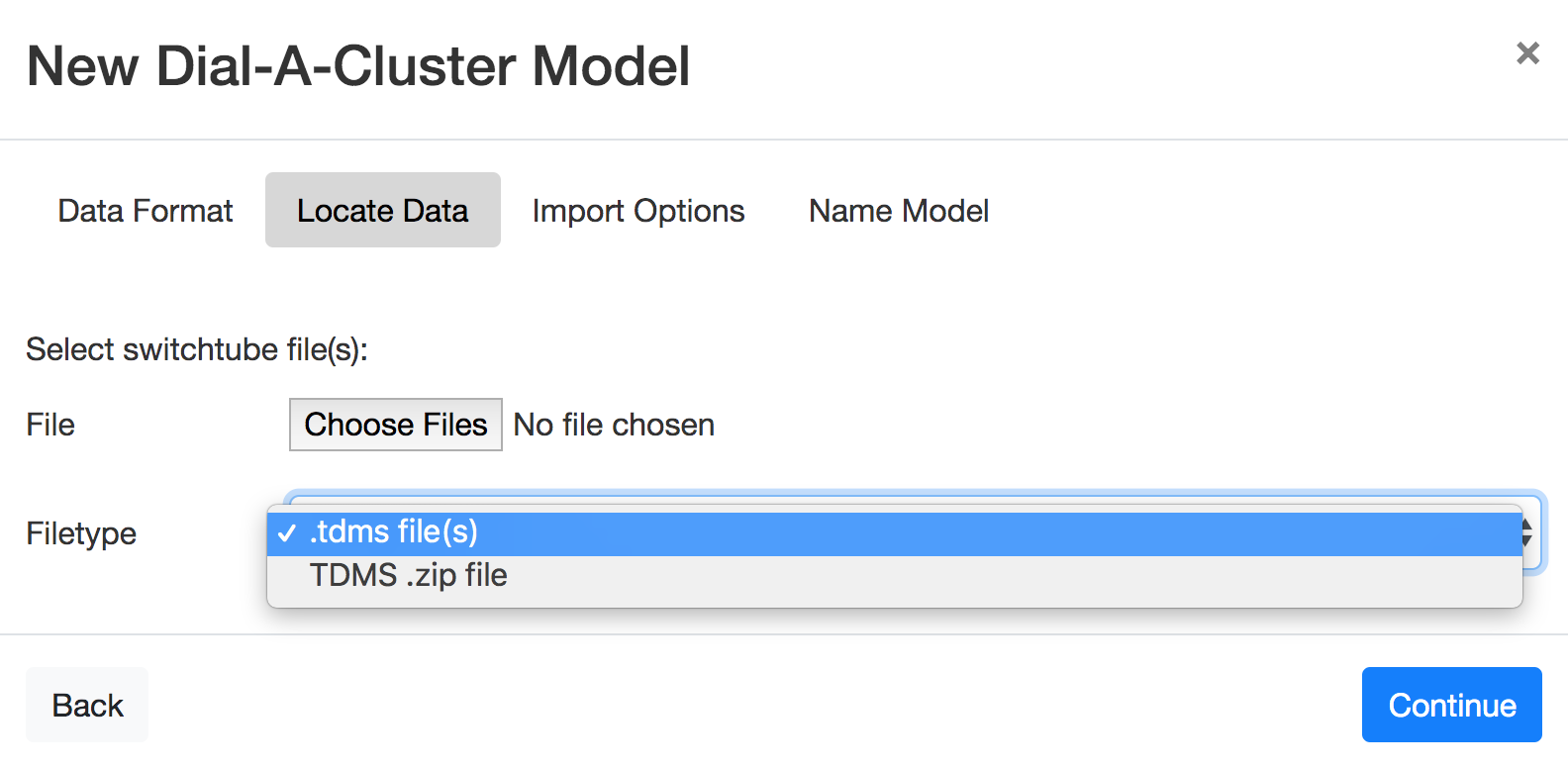
Figure 8: The TDMS file type pulldown allows the user to select either .tdms files directly, or a .zip file containing TDMS files.
In addition to the Locate Data tab, the TDMS format uses two additional tabs. In the case of a TDMS .zip file selection, a Select Suffixes tab is displayed, as shown in Figure 9. In the Select Suffixes tab, you have the option of filtering the TDMS files by a file suffix, which is used to tag a TDMS file of the form *_suffix.tdms. The user then has the option to include only TDMS files with specific suffixes. After selecting the TDMS format, the Continue button advances to the Import Options tab.
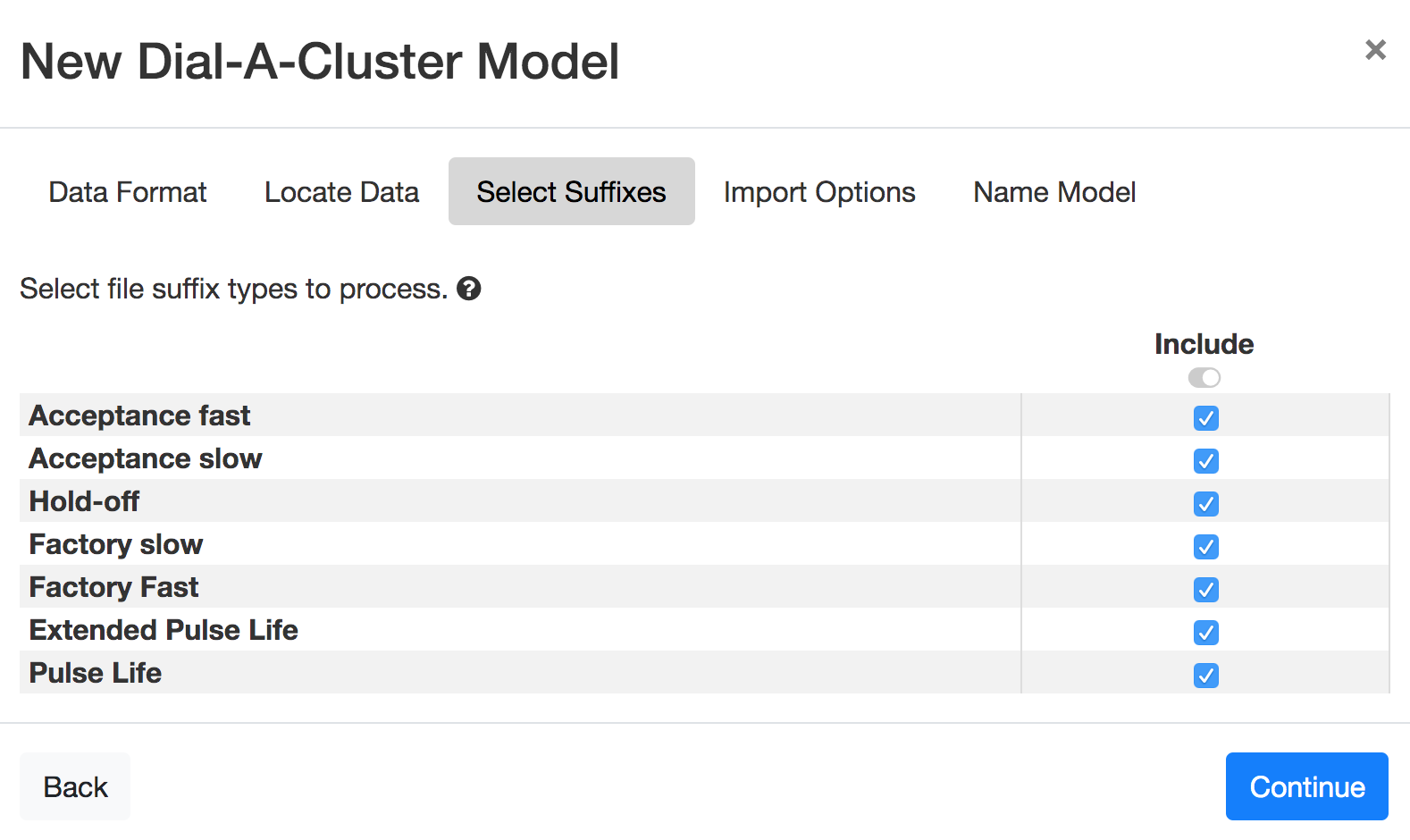
Figure 9: The Select Suffixes tab of the TDMS import wizard displayed when importing a TDMS .zip file.
For both TDMS formats, an Import Options tab is next displayed, as shown in Figure 10. The Import Options tab provides parameters that DAC can use to import incomplete or expected types of data. These options are similar to the options in the PTS Locate Data tab. The “Minimum number of time points in a channel” tells DAC to ignore any time series that have less than the specified number of time points. The “Minimum number of channels in a test” tells DAC to ignore any tests (ensemble members) that do not have at least a certain number of channels (variables) available. These values have defaults of 10 and 2, respectively.
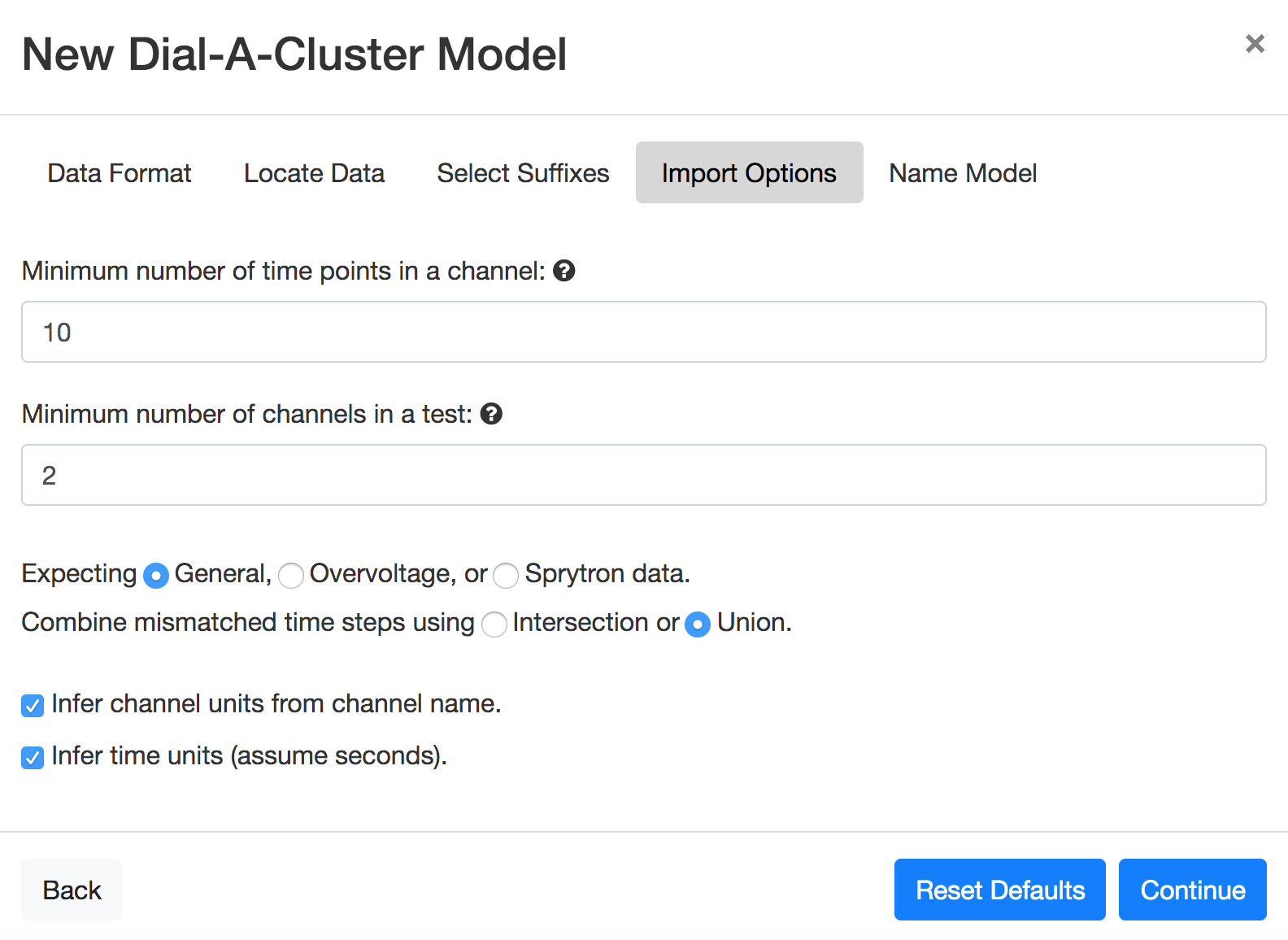
Figure 10: Options for importing DAC TDMS files.
The type of time series expected can be specified as “General”, “Overvoltage”, or “Sprytron”. The default is “General”. These options provide information about the number and type of time series expected in the TDMS files. For TDMS files, unlike DAC Generic Files, time points do not have to match across tests. If they don’t match, the time series can still be combined using the “Intersection” or “Union” options. The “Intersection” option will intersect time points to obtain a common set of time steps, while the “Union” option will extend early or late starting time series using the first or last time series values to match longer channels. Finally, channel units and/or time steps units will be inferred from the data type (“General”, “Overvoltage”, or “Sprytron”) and/or default values generally expected from TDMS data.
Continue advances to the Name Model tab.