PTS CSV/META Zip Input
The PTS CSV/META Zip Format option operates in a manner similar to the DAC Generic Zip format, though the internal format of the files within the zip file are different (see PTS CSV/META Zip Format for details on the formatting of the PTS CSV/META zip file contents). Click Browse in the Locate Data tab shown in Figure 7, then using the popup file browser, navigate to the location of the zip file and select it.
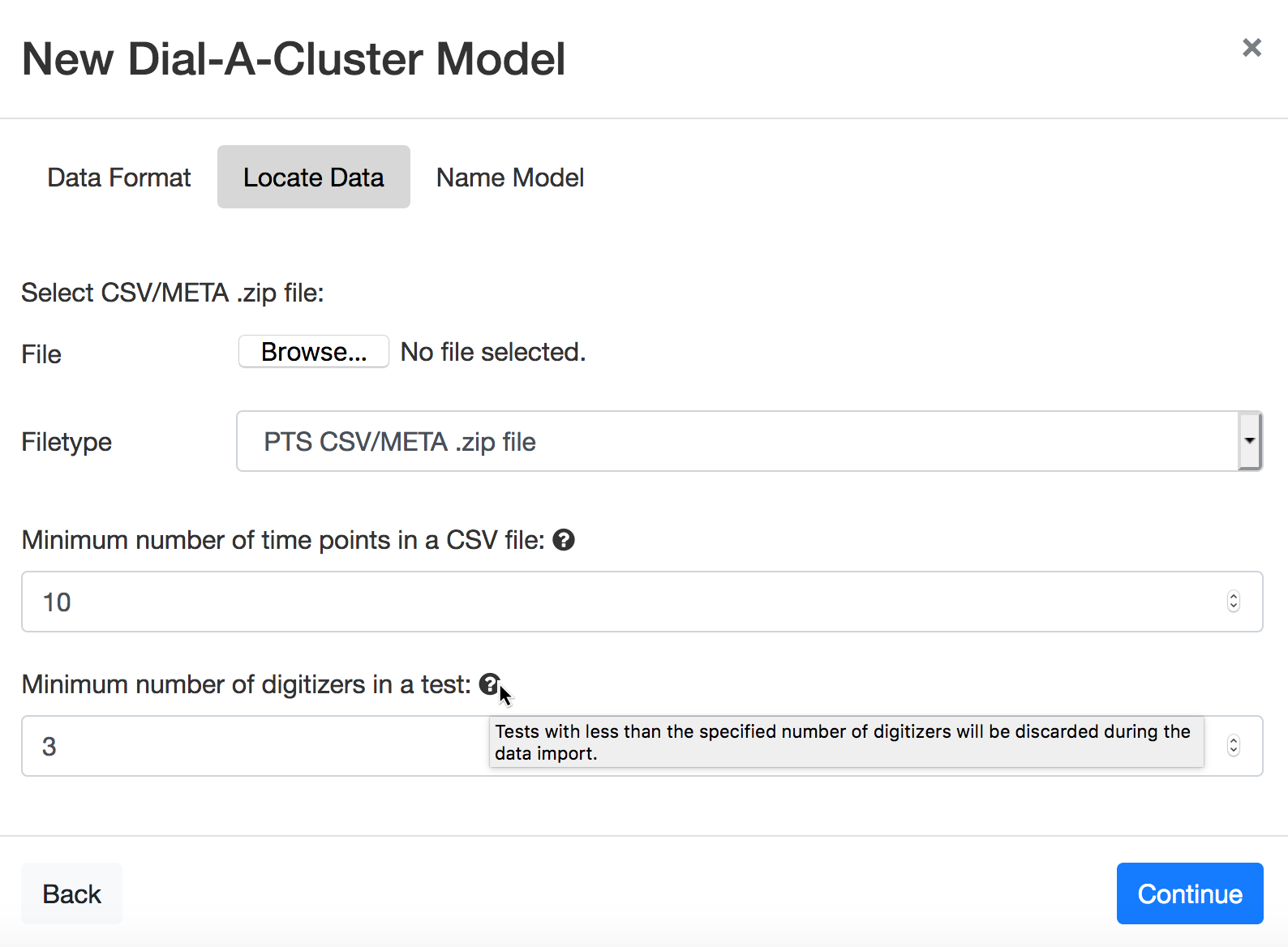
Figure 7: Locate Data tab to select the single zip file used in the PTS CSV/META Zip Format.
The PTS version of the Locate Data tab also allows the user to specify two parameters for filtering the imported data. The first parameter is “Minimum number of time points in a CSV file”. Any .csv files which contain less than the specified number of time points will be ignored. The second parameter is “Minimum number of digitizers in a test”. A digitizer is synonymous with a variable in this context. This parameter will ignore any ensemble member having less than the specified number of variables. The parameters have defaults of 10 and 3, respectively.
In the Locate Data tab, notice the  icon. If you hover over the icon, help is provided in the form of a
description of the use of the mechanism used to select the TDMS suffixes using the “Include” column. In general,
whenever you see the icon, hovering over that icon will provide a description of the functionality of a provided
feature in the DAC user interface.
icon. If you hover over the icon, help is provided in the form of a
description of the use of the mechanism used to select the TDMS suffixes using the “Include” column. In general,
whenever you see the icon, hovering over that icon will provide a description of the functionality of a provided
feature in the DAC user interface.
The Continue button will advance to the Name Model tab.